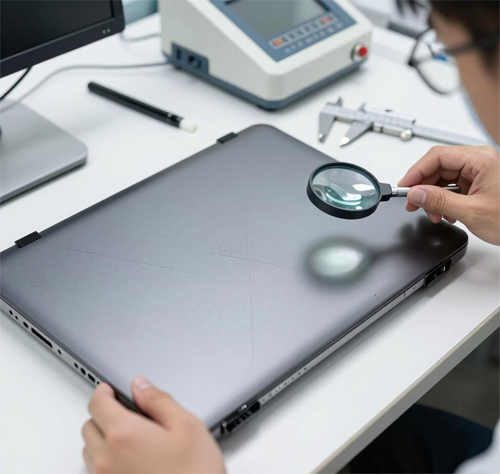
Laptop Case – Types, Function & Selection Guide
Dell Vostro V5501 5502 5505 LCD Rear Top Lid Back Cover A case brown 0CR84C CR84CG-22120058-0069 CR84CG-22120058-0067 (Part Number: Vostro V5501 5502 5505) is a replacement laptop case component designed to restore the structural integrity and aesthetics of your laptop.
Laptop cases come in several distinct parts, each serving a specific purpose. Choosing the correct part number (PN) is essential – even small differences in screw holes, cutouts, or hinge mounts will cause incompatibility.
Technical Specifications:
- Part Number (PN): Vostro V5501 5502 5505
- SKU: LT-21048
- Product Status: Brand New / OEM
- Warranty: 90‑day replacement
Compatible Systems (reference):
0CR84C,CR84CG-22120058-0069,CR84CG-22120058-0067
Four Main Types of Laptop Case Components:
- LCD Back Cover (A-cover / Top Cover) – the outer shell of the display lid. Protects the screen, houses the hinges, and often includes the camera/antenna cutouts. It also provides structural rigidity for the display assembly.
- Bezel (Front Frame / B-cover) – the thin frame that surrounds the LCD screen. It holds the screen in place, provides a clean aesthetic, and often contains the camera, microphone, and sometimes the ambient light sensor.
- Palmrest (Upper Case / C-cover) – the large assembly that houses the keyboard, touchpad, and power button. It also contains the motherboard mounting points and provides structural support for the keyboard area. Often includes the fingerprint reader or LED indicators.
- Bottom Case (Base / D-cover) – the underside of the laptop. It provides access to internal components (RAM, storage, battery), contains ventilation grilles, speaker grilles, and rubber feet. It also contributes to the overall rigidity and cooling airflow.
Critical Selection Factors – Always Check These!
- Part Number (PN) – The exact OEM part number is the most reliable way to ensure compatibility. Different laptop models, even from the same series, often use different cases.
- Color & Finish – Even if the PN matches, there may be subtle color variations (e.g., dark grey vs. charcoal). Always verify the color code if available.
- Screw Hole Positions & Threads – Cases are precision-molded with specific screw hole locations. Even 0.5mm offset can prevent installation.
- Clip / Latch Positions – Many cases snap together using plastic clips. If the clip positions differ, the case will not close securely.
- Port & Vent Cutouts – The bottom case must have exactly matching cutouts for USB ports, HDMI, cooling vents, and speakers. Any mismatch means it cannot be used.
- Hinge Mounts – For LCD back covers and palmrests, the hinge attachment points must align perfectly with your laptop’s hinge design.
- Camera / Antenna / LED openings – The bezel and back cover must have the correct holes for the webcam, microphones, Wi-Fi antennas, and status LEDs.
How to Find Your Laptop's Case Part Number (PN):
- Check the existing part – Look for a sticker or embossed number on the inside surface of the case. Often printed on the back of the palmrest or the bottom case.
- Use the laptop’s service manual – Many brands (Dell, HP, Lenovo) publish service manuals with detailed part numbers for each case component.
- Search online – Use your laptop’s full model number (e.g., Dell Latitude 5420) + “service manual” or “parts list” to find the correct PN.
- Check third-party parts databases – Websites like Parts-People or LaptopScreen.com often list case parts with PNs.
- Contact us – Send us a clear photo of your laptop’s model sticker (usually on the bottom) and describe the part you need. We can help you identify the correct PN.
Important Compatibility Note:
- PN must match exactly – even if the shape looks similar, a different PN means it will not fit properly.
- Color variations exist – laptops often have multiple color options (e.g., Space Grey vs. Silver). Verify the color code before ordering.
- Regional differences – some laptops have different case designs for different regions (e.g., different keyboard layouts may affect palmrest cutouts).
- Always compare photos – lay your old part next to the product images to check clip positions, screw hole locations, and edge contours.
Need help finding the right case? Send us a clear photo of your laptop's model sticker (bottom side) and a photo of the damaged case (if possible) – we will identify the correct part number and confirm compatibility. For custom orders or assistance, email us at email.